
OopBuy QC Photos: Match the View to the Question
OopBuy QC photos can answer a visible question when the image is connected to the same item and selected option. They cannot by themselves establish comfort, hidden construction or authenticity.
Match before interpreting
Check the listing, colour, size and image set before carrying over a measurement or appearance note. Choose a view that answers the question: a full front for print placement, a close-up for a visible seam, or a flat garment with readable endpoints for a width. Lighting, cropping and scale can change what a photograph appears to show.
For a product reference, view the white graphic tee. That is a product detail page, not QC evidence for an order. Keep it separate from an image set tied to a buyer's item.
Choose the additional view before asking for more photos
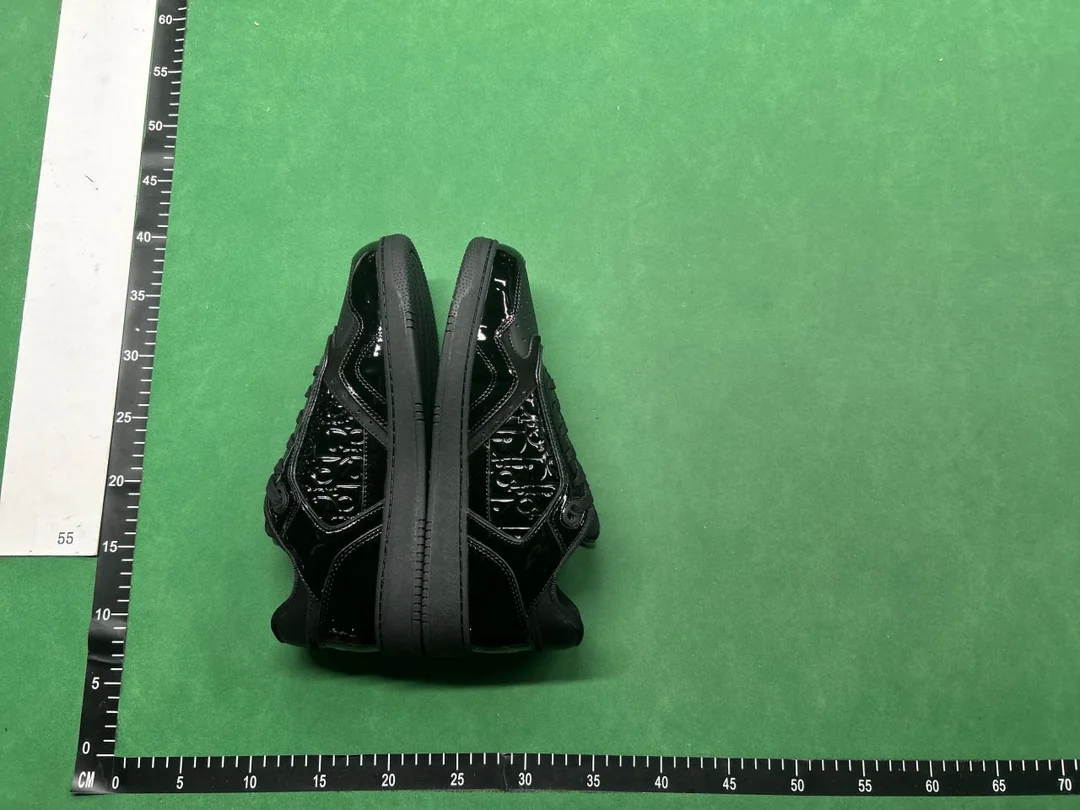
This community-posted QC example shows side panels and sole edges. It does not show the rear lettering straight on: if heel placement is your concern, request a level rear view with both shoes positioned consistently. The ruler along the surface is not an insole measurement. Neither the photograph nor its QC label establishes authenticity or connects these shoes to an OG listing.
More images help only if they resolve the question. If your concern is print placement, keep enough of the garment visible to locate the print. An isolated close-up may show the ink surface while removing the context needed to judge its position.
For a measurement, ask which endpoints are being used and whether the garment is laid out consistently. A readable number at the tape's end is insufficient if its starting point is outside the frame. The size guide explains why the original measurement method must stay attached to the value.
Keep image-search matches separate from order evidence
When researching an OopBuy QC finder or a spreadsheet with QC, first establish what the returned image represents. A similar-looking result may be a catalogue photograph, another option or an image from a different order. Visual similarity does not connect it to your purchase.
Preserve that distinction even if the result appears clearer than your own images. It may help you formulate a question about the design, but it cannot establish your item's condition. The links guide helps keep the destination and variant separate when searching for alternatives.
Investigate a discrepancy without inventing its cause
If a colour or dimension appears different, compare the option, viewing conditions and measurement basis first. State the visible difference rather than assuming why it happened. A question about an apparent mismatch is more precise than declaring every image in the set incorrect.
Keep an additional-photo request separate from the response and the image eventually supplied. If the response does not answer the question, explain which detail is still unclear through support. No request should be recorded as a completed inspection before the relevant view is available.
Record the limit
Write the question, view inspected and conclusion it supports. If a label or endpoint is hidden, request a more useful view instead of guessing. Remove private names, addresses, order numbers and account identifiers before sharing a crop. Continue to the spreadsheet guide only when the item stage is clear.